How to Fix Wrong AI Answers About Your Business
Investigate wrong AI answers, correct sources and test for recurrence with a free fillable PDF checklist, editable trackers and official reporting resources.
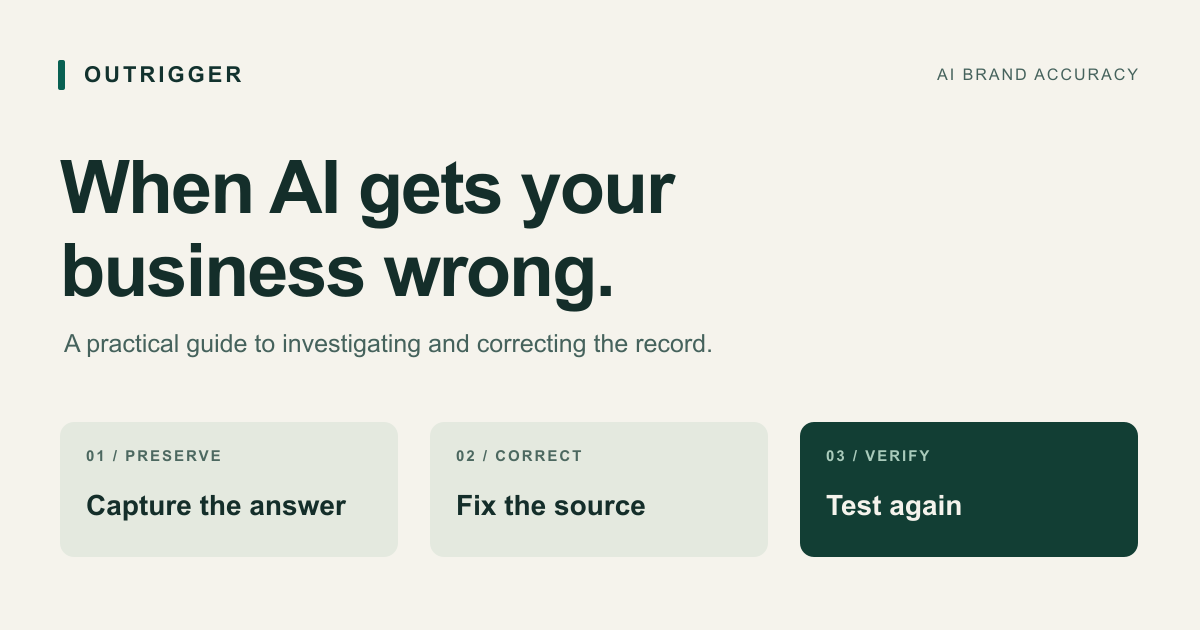
Preserve the answer, verify the fact, trace its visible sources, correct what you can control and test again. A source edit or a platform report is not proof that future AI answers are correct.
A practical correction process
AI can describe your business confidently and still get the facts wrong. It might send customers to an old address, confuse you with a similarly named company, invent a service you do not offer or repeat a claim that its cited source does not support.
The practical response is to preserve the answer, establish the correct facts, trace the available sources, make targeted corrections and test for recurrence. There is no universal form that updates every AI service, and changing your website does not guarantee a different answer.
This guide gives marketing, communications and agency teams a process they can run together. It includes reporting routes, correction templates and a measurement plan. The workflow and suggested deadlines are our operating recommendations; they are not platform service guarantees. Platform documentation was checked on September 16, 2026.
Put the guide into practice: Download the free AI brand accuracy checklist (PDF). Its three pages include fillable incident fields, printable checkboxes, official reporting links and a before-and-after tracking sheet. Fill it in digitally or print it for your team. No email address is required.
Start here: five actions to take today
- Save the exact question, complete answer, citations and screenshot before the result changes.
- Write the disputed claim and the verified replacement in one sentence each. Attach the evidence.
- Check whether the answer describes your organization, another organization or a mixture of both.
- Correct relevant pages and profiles you control; send precise correction requests for third-party errors and report the answer to its platform.
- Repeat the original questions under comparable conditions. Track source corrections separately from changes in AI answers.
If customers are acting on a serious mistake now, appoint an incident owner and give your customer-facing team a verified response immediately. You can help a caller reach the correct location while the wider correction remains unresolved.
What counts as an AI brand accuracy problem?
An accuracy problem involves a checkable claim about a specific entity. Examples include a wrong opening status, address, service area, ownership relationship, product capability or professional biography. Establish whose facts apply and the date on which they are true.
A missing brand mention is a visibility issue. An unfavorable recommendation may be a judgment. A truthful negative review remains a truthful negative review. These require different responses from a demonstrably incorrect fact.
There is also a difference between an error and an unsupported assertion. If an answer claims your business has a certification and nobody can verify it, mark it unsupported while investigating. Do not silently count it as correct because it sounds flattering.
Real examples illustrate the distinction. In a September 2026 video, Alberta Tech describes being asked about a Mexican upbringing despite being from Brooklyn. She suspects confusion with another creator and says articles repeated the mistake. That is her account; it does not independently establish the full chain of propagation.
PPC Land, citing CBC reporting, described an AI summary falsely announcing the closure of Ontario's Anna Mae's Bakery and Restaurant after confusing it with an Illinois bakery. The report describes customer inquiries about the supposed closure. It does not establish a measured revenue loss.
The lesson for a business is specific: recognition of a name is insufficient if the answer attaches somebody else's facts to it.
Step 1: triage the claim and assign an owner
Prioritize potential customer harm and the strength of your evidence. Frequency matters, but a serious false allegation should not wait for a large sample before it reaches the responsible team.
Use this suggested internal triage scheme. Adapt response targets to your staffing and operating hours.
| Priority | Example | Initial action | Suggested internal target |
|---|---|---|---|
| Critical | A serious allegation, unsafe instruction attributed to your business or immediate customer harm | Preserve evidence; alert the responsible executive and appropriate specialist | Same working day; immediately for active harm |
| High | False closure, wrong booking contact, wrong location or a material eligibility error | Verify facts; correct owned sources; brief customer support | Within one business day |
| Medium | An outdated feature, role or price that could influence a buying decision | Assign source corrections and a retest plan | Within three business days |
| Low | A minor historical detail with little current consequence | Log evidence and fix in the normal maintenance cycle | Next scheduled review |
Choose one incident owner. That person coordinates the work; they do not need to edit every page themselves. Name a separate fact owner when verification belongs to operations, product, finance or leadership.
Record the commercial consequence as a hypothesis unless you have evidence. “Could discourage bookings” is different from “caused ten lost bookings.” Save actual customer reports, with personal details removed from public material, so the eventual case study does not turn an assumption into a result.
Step 2: preserve an answer that another person can inspect
An isolated screenshot is useful, but often omits the conditions that produced it. Save enough context for a colleague to understand the result and attempt a comparable test.
- The full prompt, including spelling and any location, date or qualifying information.
- The complete answer, screenshot and response or conversation URL when available.
- Platform, product surface and displayed model or mode. Record “not shown” when unknown.
- Date, time and timezone; device or interface where relevant.
- Whether web search was used, unavailable or unknown; all displayed citations.
- Signed-in status, relevant personalization settings and prior conversation context.
- The exact disputed sentence, the affected entity and supporting evidence for the correction.
Keep original evidence private. Shared conversation links and screenshots can expose surrounding messages. A public example should contain only the material needed to show the error.
Retest in a fresh conversation before adding corrective instructions. A response after you tell the assistant the right answer is a different experiment. It may demonstrate that the current conversation accepts a correction, but it does not show what a new customer will receive.
Use realistic questions as well as the original query. For example, “Where is [business] in [city]?” is a useful customer question. “Prove that [business] has not closed” changes the premise and belongs in a separately labeled diagnostic test.
OpenAI explains that location and enabled memory can affect ChatGPT search. Record those settings so a change in context is not mistaken for a successful repair.
Step 3: build a verified fact register
Before asking other people to correct anything, establish the current facts inside your own business. A marketing document is not sufficient evidence for a regulated credential, and an old pricing presentation may be unreliable for today's offer.
Create one row for each important fact. Use an internal entity identifier so a parent company, subsidiary, product and local branch do not get collapsed into one organization.
| Field | What to record |
|---|---|
| Entity | Legal name, trading name, relevant location and official domain |
| Fact | The specific question being settled, such as operating status or service area |
| Verified value | A precise statement, including limitations and exceptions |
| Effective date | When the value became true; an end date if applicable |
| Evidence | A current official page, record or document appropriate to the claim |
| Fact owner | The person who can confirm that the evidence remains current |
| Public reference | The page a reader or publisher can inspect without signing in |
| Review trigger | A planned review date or business event that requires an update |
Start with five to ten facts most likely to change a buying decision. For a local business, that might be operating status, location, contact details, opening hours and service area. For software, it might be capabilities, compatibility, pricing conditions, customer eligibility and the company behind the product.
For a person, distinguish birthplace, upbringing, current residence, employer and role. They are separate facts. Support them with an approved biography or other appropriate evidence; do not publish private identity documents to settle a public biography error.
When two internal teams disagree, resolve that discrepancy first. Publishing more material before the fact is settled creates additional sources that someone will later need to correct.
Step 4: trace the visible sources and classify the failure
Open each citation connected to the disputed claim. Find the actual supporting passage. A citation can be relevant to the topic without supporting the sentence beside it.
Save the page URL, publisher, title, displayed publication or update date, observation date and relevant excerpt. Note whether the page discusses your exact entity. If a page has changed since the AI answer was captured, preserve both observations without assuming which version the system used.
Then classify the evidence using this decision table.
| What you observe | Working diagnosis | Next action |
|---|---|---|
| A cited page states the same wrong fact | Source contains an error or stale information | Correct that page or request a factual correction |
| A cited page concerns another company or person | Possible identity confusion | Clarify identifying details and report the mismatched citation |
| The cited source says something different | Answer misstates the visible evidence | Report the exact mismatch; preserve the supporting passage |
| Several pages repeat the same unsupported story | Possible circular corroboration | Trace the earliest identifiable source and request corrections across the chain |
| No citation establishes where the claim came from | Origin remains unknown | Strengthen relevant public facts and report the answer without inventing a cause |
| The error appears only after earlier conversation turns | Possible context contamination | Test clean sessions and record the original conversation separately |
These are working diagnoses. A visible citation list is not a complete explanation of a model's internal behavior. “We found a matching error on this page” is supportable; “this page trained the model to say it” usually is not.
Check whether sources are independent. Three syndicated copies of one article are one reporting chain, not three independent confirmations. If a publisher cites an AI answer that in turn cites the publisher, record the circular reference explicitly.
Prioritize sources that contain the exact disputed fact, are visibly cited or are authoritative for the entity. Avoid turning an incident into an indiscriminate campaign to create hundreds of new pages.
Step 5: correct owned pages and distinguish similar entities
Repair the page where a person would reasonably expect to find the fact: the contact page for an address, the product page for a feature, the pricing page for an offer and the biography for a person's background. Add a dedicated clarification page only when the issue warrants a fuller explanation.
Write a direct statement with its scope and effective date. “Our Portland office moved to [address] on [date]” is more useful than a vague assurance that your information is up to date. If a former location closed while the business continues elsewhere, explain both facts.
Review navigation, footer details, downloadable brochures and archived landing pages for contradictions. Retire obsolete material appropriately or add a visible historical notice. A live page advertising an old offer can remain a source of confusion after the current page is fixed.
For similarly named organizations, make the distinguishing details clear: location, domain, parent relationship and business category. Link to the official profile that belongs to your entity. Where a genuine mix-up warrants it, explain that the other organization is separate, using neutral factual wording.
Keep important facts in visible page text. Google's AI search guidance says normal search foundations apply, structured data should match the page and special AI markup is unnecessary. These steps improve the material available to search; they do not guarantee selection or an accurate answer.
If you use structured data, review existing Organization or appropriate business markup for contradictory names, URLs and contact details. Google's Organization documentation describes identity properties including the organization URL and links to relevant external profiles. Only connect profiles that actually describe the same entity. Do not add speculative credentials or use markup to make a claim absent from the page.
For local information, update the relevant verified profile using Google's Business Profile editing process. Check the exact branch and status before editing; a temporary closure and a permanent closure are different states.
Finish with a human review of the affected pages. A consistent error across five profiles is still an error.
Step 6: request corrections from third-party publishers
Contact the publisher, directory owner or profile administrator responsible for the specific inaccurate page. Provide the exact sentence, a concise replacement and evidence they can inspect. Ask for a factual correction rather than a favorable rewrite.
Correction request template
Subject: Factual correction request: [entity] on [page title]
Hello [name],
Your page at [URL], reviewed on [date], states: “[short disputed passage].” This appears to refer to [our entity, location and domain].
The current fact is: [precise replacement, including effective date or limitations]. Supporting evidence is available at [official or other authoritative URL].
Would you please review and correct that statement? If it refers to a different organization, please clarify the identity so readers can distinguish the two. Please let me know if you need additional evidence.
[Name, role and relevant affiliation]
Track the request date, recipient, evidence supplied, response and observed page change. An acknowledgment is not a correction. Verify the live page before marking the task complete.
If content was syndicated, identify the originating publisher and relevant copies. One correction may not reach every copy. Follow up with unresolved publishers at a reasonable interval; do not create multiple tickets containing the same evidence every day.
An accurate critical article is outside this workflow. If the disagreement requires specialist judgment, route it to the appropriate team instead of presenting an unsettled dispute as a proven error.
Step 7: report the answer to the relevant AI platform
Report the actual response you observed, with a narrowly framed explanation and inspectable evidence. Menu names can vary by account, device and rollout. Use the platform's current instructions linked below if your interface differs.
| Product | Reporting route | Include in the report |
|---|---|---|
| Google AI Overviews in Search | Use negative feedback beneath the overview, then the report-a-problem flow described in Google's instructions | Search query, disputed statement, correct entity and supporting URL |
| ChatGPT | Use the response feedback control available in your interface for an inaccurate answer. OpenAI separately documents safety and legal reporting; use those categories only when applicable | Response or conversation reference, exact error, relevant citations and correction evidence |
| Gemini Apps | Use the response's negative feedback option and provide details where available, following Gemini's guidance | The specific answer and why its claim is wrong; omit unrelated private conversation material |
| Perplexity | Use the flag below the answer or a support ticket, following Perplexity's instructions | Query URL, the incorrect information and the expected correction |
| Claude | Use negative feedback on the response or contact support, as described in Claude's guidance on incorrect answers | Exact claim, response context and supporting evidence |
| Microsoft Copilot for consumers | Use Give feedback in Settings or the response flag, as described in Microsoft's FAQ | Query, response, citation mismatch if present and the correct source |
Google AI Overviews and Gemini Apps are different surfaces. Consumer Copilot and an organization's Microsoft 365 deployment also differ. Record the product you used rather than treating every product from one vendor as the same system.
For an individual's personal information, a separate privacy process may apply. OpenAI describes a personal-data removal request through its Privacy Portal. Requests are reviewed individually; this is not a general business-profile editing tool, and it does not remove information from external websites.
Platform report template
On [date and timezone], [product and mode] answered [exact prompt]. It stated: “[short disputed claim].”
The entity is [name, official domain and location]. The verified fact is [correction and effective date]. Evidence: [URL and relevant passage].
The response cites [URL], which [contains the same error / discusses a different entity / does not support the claim]. If the origin is unknown, say so. Please review this answer for factual accuracy. Response reference: [URL or identifier].
Save the receipt or ticket number. A submitted report means the platform received feedback; it does not establish that the answer was corrected, that a model was retrained or that future responses will be consistent.
Step 8: help search discover corrected material
After editing an owned page, verify that the corrected content is publicly accessible and the intended URL works. Check that a login requirement, accidental noindex setting or stale duplicate is not undermining the publication.
For eligible owned URLs, Google's URL Inspection tool can inspect indexing and request indexing. For a broader set of changed pages, maintain an accurate sitemap. A request does not promise immediate recrawling, indexing or a change to any AI answer.
If another website has already removed or materially changed a page but Google still displays obsolete information, evaluate Google's Refresh Outdated Content tool. It updates eligible search results; it does not edit the source website. It is not the appropriate shortcut when the disputed text remains live and the publisher has not changed it.
Keep these stages distinct in your records: page corrected, change discovered by search, changed answer observed. The first can happen without evidence of either of the others.
Step 9: retest with a stable question set
Choose the questions and success criteria before reviewing the next round of results. Otherwise it is easy to favor prompts that already produce the answer you want.
For a small initial investigation, use five fixed questions on two relevant product surfaces across three sessions on separate days. That produces 30 planned observations per testing window. It is an operational sample, not a statistically representative estimate of every customer's experience. Add markets or platforms as separate groups when they matter to your buyers.
Keep the original question in the set. Add neutral variations addressing the same fact, such as the business name alone and the business name with its city. Record exact spelling, location, language, mode and account conditions. Treat a changed setting as a new comparison group.
Capture a baseline before making corrections when doing so will not delay an urgent fix. If you already corrected the source, label the first window as a post-change observation rather than reconstructing an imaginary baseline.
For each completed response, mark the target fact as supported and correct, incorrect, unsupported, conflicting or not answered. “I don't know” is not a wrong fact, but it also does not demonstrate a correct answer. Capture unrelated errors separately.
Record technical failures, skips and unavailable AI answers outside the completed-response denominator. Report all category counts so a drop in wrong answers cannot conceal a rise in missing or unsupported answers.
Illustrative measurement: You planned 30 observations. Two failed technically. Of the 28 completed responses, six contained the target error, 18 were supported and correct, two were unsupported and two did not answer. Report error recurrence as 6/28, alongside the other counts and the two failures. Do not describe the remaining 22 answers as verified correct.
If a later comparable window contains 1/28 errors, report the observed change and dates. You have evidence that the error appeared less often in that sample. Without a stronger study design, you have not established which correction caused the change or its effect on revenue.
Run direct checks in the consumer interfaces customers actually use. If software collects API results, record that route and analyze it separately from browser results. Do not assume an API response reproduces a consumer product's retrieval, settings or answer.
Step 10: decide what is resolved and what needs continued attention
Use separate statuses for the work and the observed outcome. An incident can have every owned source corrected while third-party pages remain wrong. It can also produce clean test results while its original source problem persists.
Useful work statuses are verified, corrections in progress, waiting on publisher, reported to platform and owned corrections complete. Useful observation statuses are recurring, not reproduced in this window and inconclusive. Retain the dates and sample sizes behind each status.
As a practical internal rule, consider reducing an incident's active review frequency after two comparable windows contain no target error and the relevant owned corrections are complete. Label that “no recurrence observed,” not “fixed everywhere.” Keep serious unresolved source errors visible, and reopen the incident if the claim returns.
Start with weekly follow-up for a high-impact incident, then adjust to its risk and actual recurrence. Review the fact register whenever the business changes location, ownership, product scope or offer. Prevention includes keeping the public record aligned with those real changes.
Customer support can add a simple intake tag for people who mention an incorrect AI answer. Keep those reports distinct from general sales performance. An observed reduction in complaints can support an operational assessment; it cannot by itself isolate the cause of a revenue change.
A practical 30-day implementation plan
The schedule below is a proposed working plan. Publisher response times and platform behavior remain outside your control.
| Period | Work | Accountable owner | Evidence of completion |
|---|---|---|---|
| Days 1–2 | Name the incident owner; preserve examples; triage; verify the five most consequential facts | Marketing or communications lead, supported by fact owners | Incident log, evidence folder and approved fact register |
| Days 3–5 | Trace citations and duplicates; run a baseline where appropriate; assign corrections | Analyst and incident owner | Source map, stable prompt set and prioritized task list |
| Days 6–10 | Correct owned pages and profiles; send evidenced publisher requests; submit platform reports | Website, operations and communications owners | Live-page checks, change log and request receipts |
| Days 11–17 | Check relevant indexing; verify publisher edits; run a comparable observation window | Search specialist and analyst | Updated source statuses and complete response records |
| Days 18–24 | Investigate remaining errors and new sources; run a second window | Incident owner and analyst | Recurrence comparison with limitations |
| Days 25–30 | Report the outcome; set review ownership; resolve or retain open work explicitly | Account lead or executive sponsor | Client or leadership report and next review date |
For urgent harm, correct confirmed facts immediately rather than waiting for the relevant day in the schedule. For a larger organization, run the same workflow by entity and market so one team's completed work does not hide another team's unresolved incident.
Free templates for running the process
Start with the fillable AI brand accuracy checklist (PDF) for one incident. Work through capture and triage, source corrections and platform reports, then a comparable retest. Save the completed checklist privately; the download contains blank fields for your own evidence.
Use the incident register to track ownership and severity, the fact register to establish verified values, the source correction tracker to follow page-level work and the retest log to preserve comparable observations. These are editable CSV files; save a copy and replace the blank fields with your own evidence.
Keep customer information, private screenshots and unpublished documents in your own access-controlled storage. Link the working records to those files internally rather than adding sensitive details to a public report.
Client update template
Issue: [Exact claim, affected entity and priority]. Why it matters: [Observed customer consequence or clearly labeled potential impact].
Verified fact: [Correct statement, evidence and effective date]. Work completed: [Specific live changes and verified publisher corrections]. Work pending: [Named owner, dependency and next action].
Observed results: [Testing dates, surfaces, prompt set, completed and failed counts, and every outcome category]. Interpretation: [What changed in the sample and what remains uncertain]. Next review: [Date and owner].
Where Outrigger fits
Outrigger's AI Monitor documentation describes results containing the prompt, full response and cited sources. Those records can support a human accuracy review alongside visibility measurement. Custom prompts are currently manual tests; the documented scheduled workflow uses separately enabled keyword prompts.
Use the product to organize relevant response evidence where its supported routes fit your investigation. Keep direct consumer-interface checks in the plan and verify factual claims against the fact register. A brand mention, a visibility score or a response-change alert does not by itself establish correctness.
If you are already using Outrigger, start by reviewing the full answers for your highest-value customer questions. If you are assessing the platform, explore Outrigger and use this guide to define the evidence your team needs. The correction process remains usable with the free templates and manual checks.
Frequently Asked Questions
Can I force ChatGPT or Google to correct a fact about my company?
You can correct controlled sources, supply evidence to publishers and report inaccurate responses. You cannot guarantee that a provider will change every answer, accept a request or act within a particular timeframe.
How long does an AI correction take?
There is no universal timetable. Your team can set deadlines for its own edits and follow-ups. Third-party publication, search discovery and answer changes are separate events that must be observed rather than promised.
Will telling the assistant the correct answer fix it for everyone?
A corrected answer in your current conversation is not evidence of a change for other users. Test fresh conversations without supplying the answer and keep the original conditions documented.
Do I need special AI schema or an llms.txt file?
Google's published guidance does not require special AI markup or additional machine-readable files for its AI search features. Accurate visible information and ordinary search foundations come first. An extra file is not a demonstrated remedy for a specific false claim.
Should I remove the wrong page from search?
Correct the source when you control it. If somebody else's content remains wrong, request a factual correction. Removing a page from one search index does not by itself correct copies, other indexes or every AI response. Use removal processes only for their documented purposes.
What if there is no cited source?
Record the origin as unknown. Verify the target fact, inspect relevant public information and report the response. Do not claim to know which training example or website caused the answer without evidence.
What if the answer confuses two businesses with the same name?
Check the identity in each cited source. Make the official domain, location and organizational relationships clear on relevant pages and profiles. Report the exact mismatch and test both the name-only query and the name with a location qualifier as separate prompts.
Can an agency guarantee that the misinformation will disappear?
An agency can commit to a defined investigation, documented corrections and a testing schedule. It should describe externally controlled outcomes as observations, with the platforms, dates and sample sizes attached.
AI audits are currently invite-only
Outrigger is in an invite-only pilot. Existing invited users can sign in for audit access; public access is not open.
Pilot access